Examples · Showcase
PhotoCraft examples
Two sources: the official ArtCraft product page (cleaner crops) andGitHub docs/images (full live UI). Mirrored on this CDN so images don’t break.
UI & result plates
Full aspect ratio preserved — no aggressive cropping. Click through to the source.
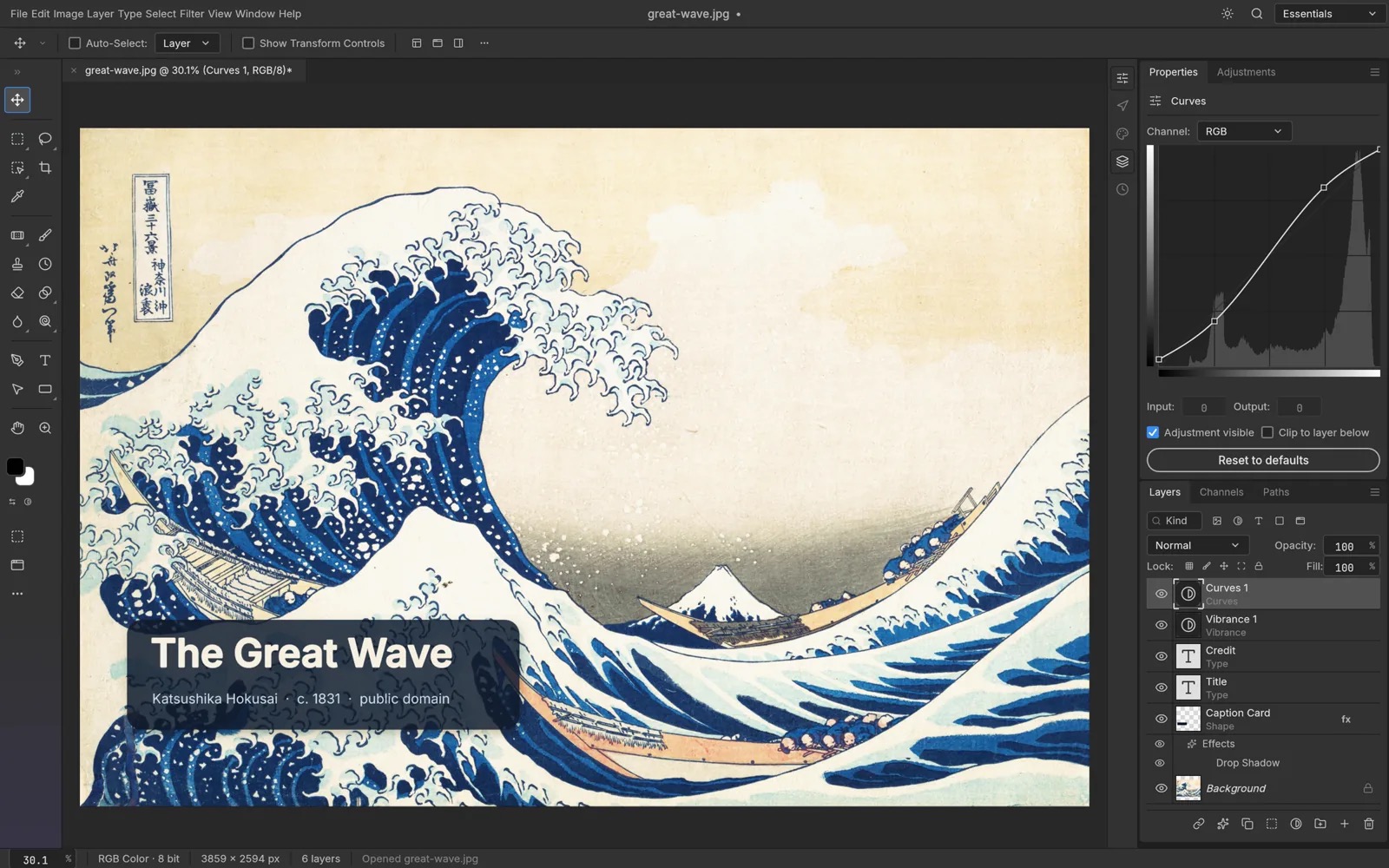
Official product page
Main UI: The Great Wave
Hokusai, The Great Wave (public domain) · official product hero
From getartcraft.com product hero: full desktop UI + canvas — best first look.
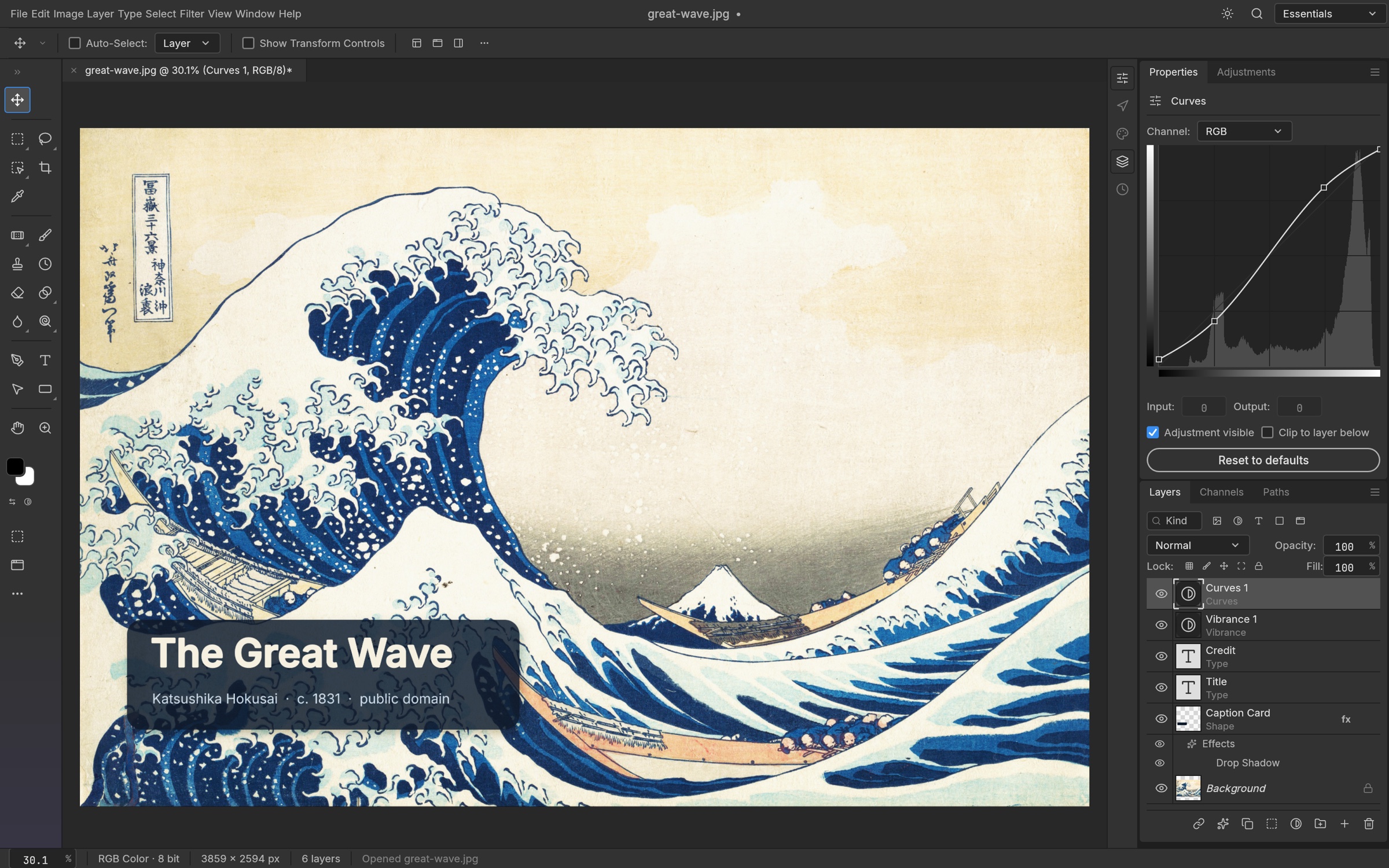
GitHub repo screenshot
Full UI: Curves + caption card
Repo README plate (docs/images/photocraft-demo.jpg)
Official repo live plate: Curves panel open, styled caption card, Vibrance/Curves layers.
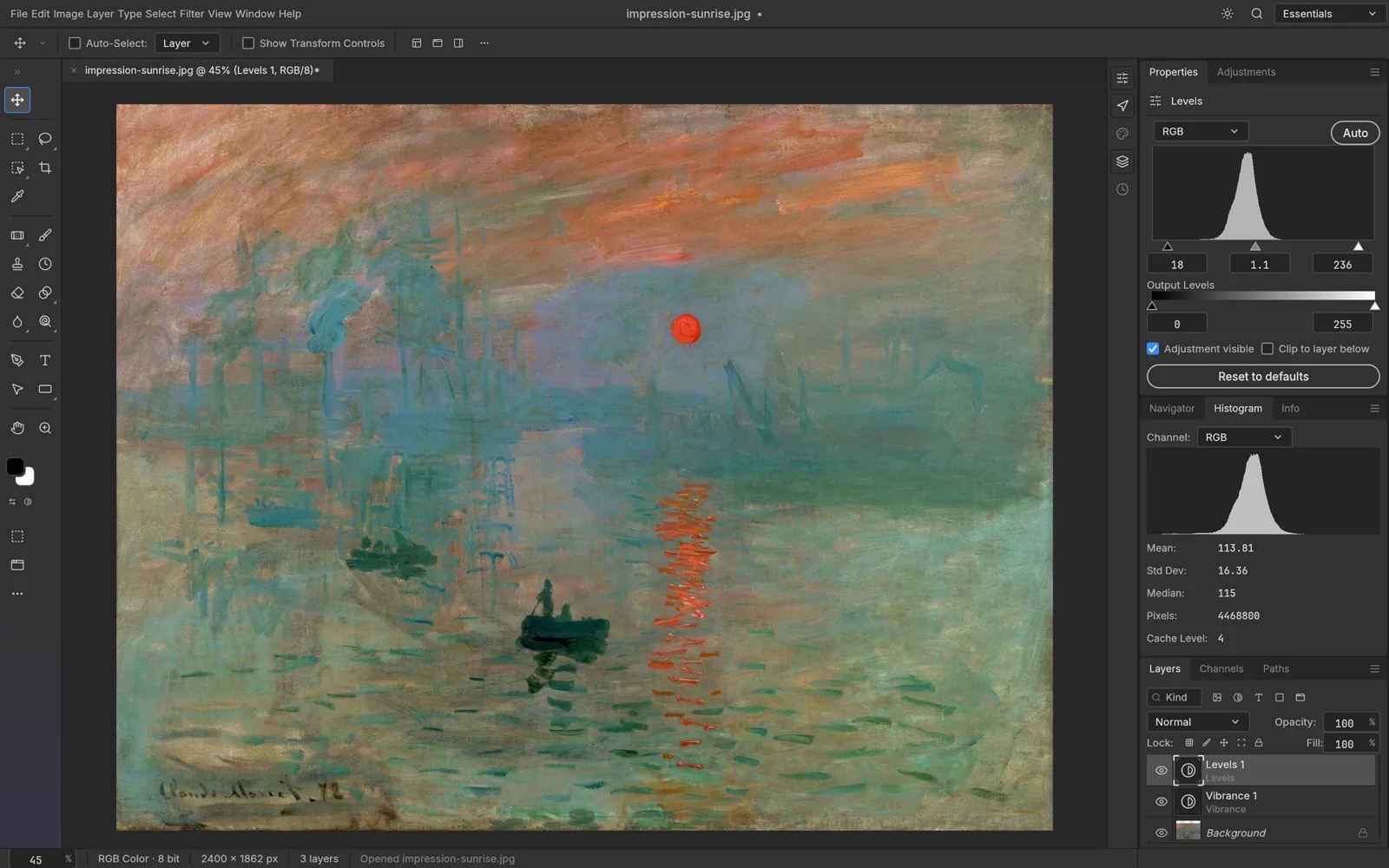
Official product page
Adjustments & histogram
Official product adjustments plate
Non-destructive adjustments with live histogram — cleaner product-page crop.
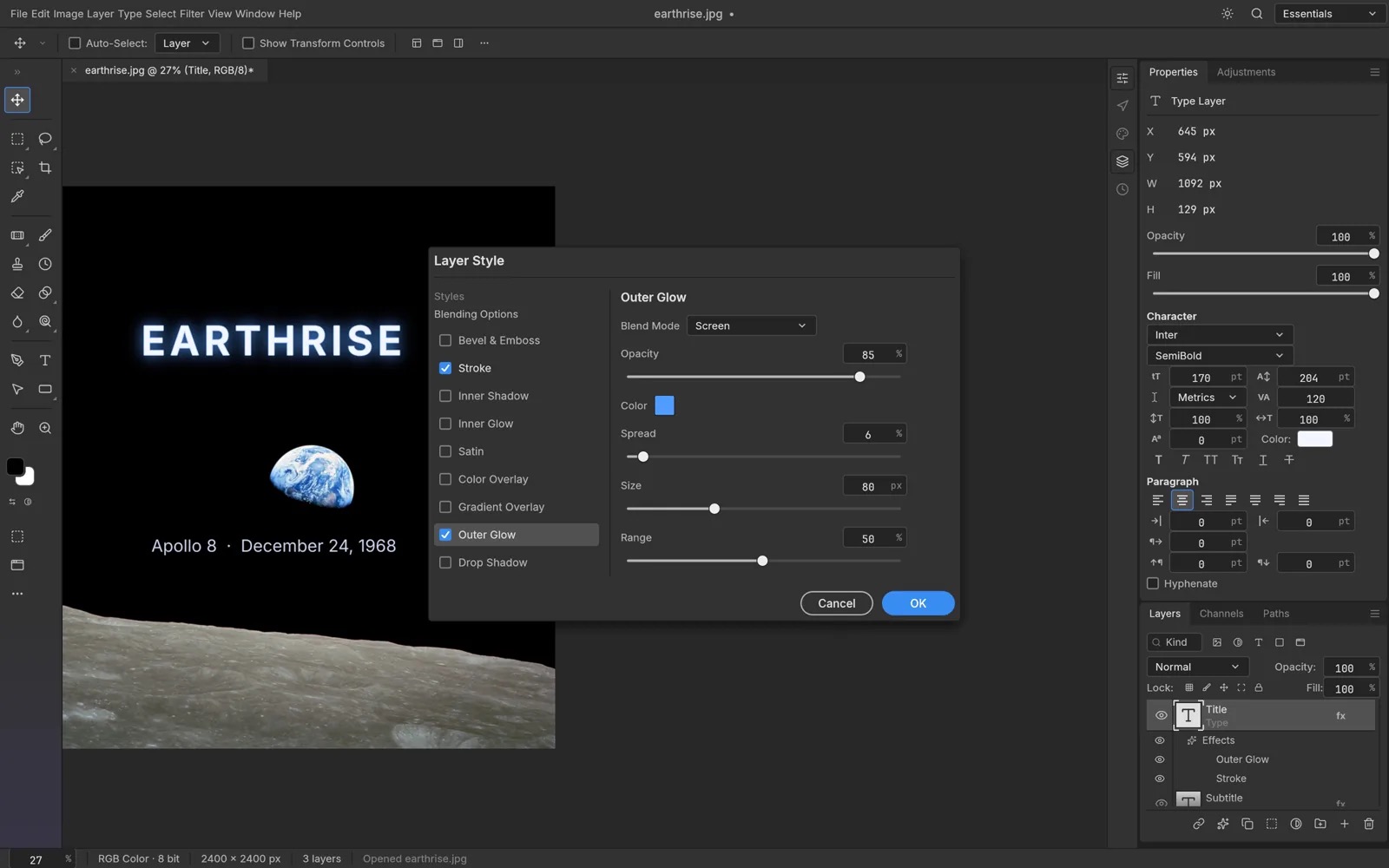
Official product page
Layer styles & type
Official product layer-styles plate
Editable type with layer styles from the official screenshot set.
Official product page
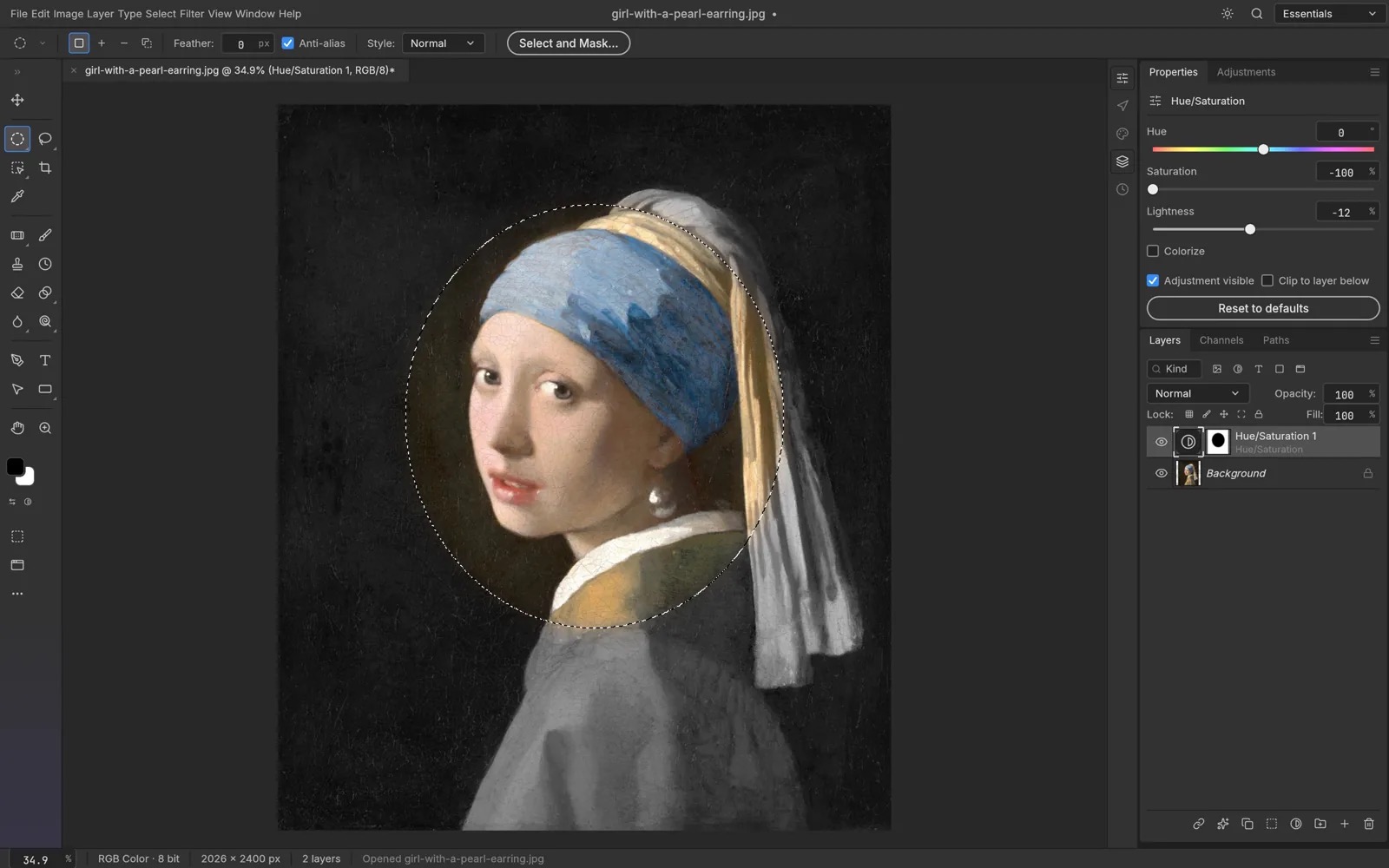
Selections & masks
Official product masks plate
On-device selection/mask workflow (not a cloud AI cutout app).

GitHub docs/images
Type tool full UI
Repo docs/images/photocraft-type.jpg
Full app chrome — proves layered document editing, not a filter sticker app.
Agent-reproducible tasks
- Title card: type, layer styles, render preview
- Color grade: Levels / Curves / Vibrance stacks
- Folder batch: photocraft-cli batch + actions JSON
- MCP: doc_open → command_run → doc_save (Claude / Cursor / etc.)
Commands: Agent / MCP guide.